Detecting Unauthorized Keys
This example illustrates the use case for detecting SSH keys that have been added to a host manually (without using Key Manager).
To test that Key Manager detects changes to SSH keys, you can perform a routine similar to the following:
-
Manually add a functioning authorization to a regular user account. In this example, we generate a private key (without passphrase protection) by running
ssh-keygenas an arbitrary, regular user on a test host. In this example, the following command is run as charlie@cranberry.example.com:$ ssh-keygen -t rsa -f /home/charlie/.ssh/id_rsa -N ''Then authorize the private key on another account of your choosing. In this example, the authorized key is added to charlie@bilberry.example.com:
$ ssh-copy-id -i /home/charlie/.ssh/id_rsa charlie@bilberry.example.comYou may test the authorization, ensuring that you can log in without having to input a password:
$ ssh charlie@bilberry.example.comExit back to the source user:
$ exit -
To detect key changes, perform a full scan on the host where you copied the authorized key to. To do this, navigate to the Hosts page, and perform a Scan action on the target hosts.
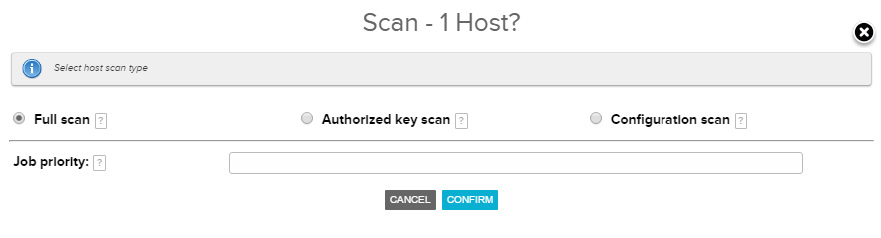
In the scan dialog, select Full Scan, then click Confirm Scan. Key Manager performs a
scan-fulljob on the host to update its information about the host. -
Once the
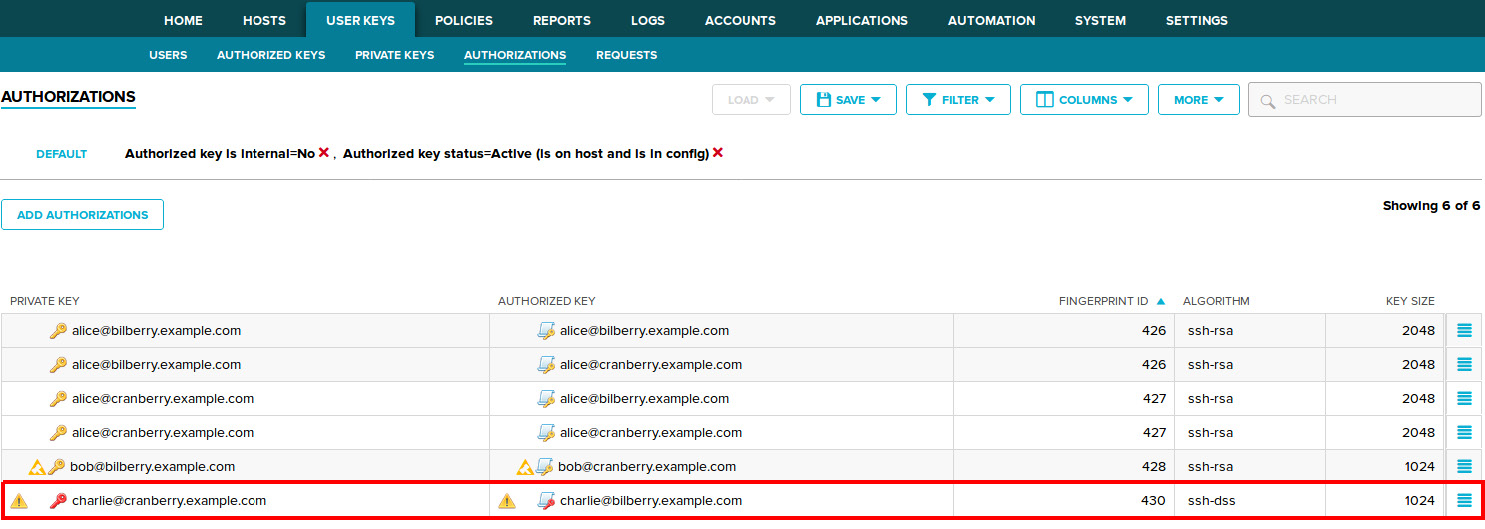
scan-fulljob finishes, you should be able to see the manually-added private key and authorized key via the Key Manager GUI, on the pages User keys→Authorizations page. The status of the keys should be appeared.